Pay in parts
Where the school allows it, split a fee into parts that fit your pay days. Each part receipted, and the app keeps count.
Link your child with the Plus ID on their school card, see exactly what the school charges this term, and pay by MTN MoMo, Airtel Money or card. A receipt every time, and the school sees it the moment you pay.

Pay by
Processed by Pesapal.
With Apple or Google. Nothing to remember.
The 10-digit Plus ID on their school card and your parent code. The school confirms the child is yours.
Tuition, transport, swimming, coaching, and any bill from the clinic or canteen. What’s paid, what’s owed this term.
MTN MoMo, Airtel Money or card, in parts where the school allows it. A receipt for every payment, recorded against your child’s Plus ID.
Where the school allows it, split a fee into parts that fit your pay days. Each part receipted, and the app keeps count.
The clinic, the canteen, a trip. They show up ready to pay, against the right child.
“What school fees have I paid?” Plain answers from your own payments.
Link each of your children with their own Plus ID and switch between them.
Scan a Plus Pay code at a school, a shop or a ticket desk.
Amounts come straight from the school, so there is nothing to type and nothing to get wrong.
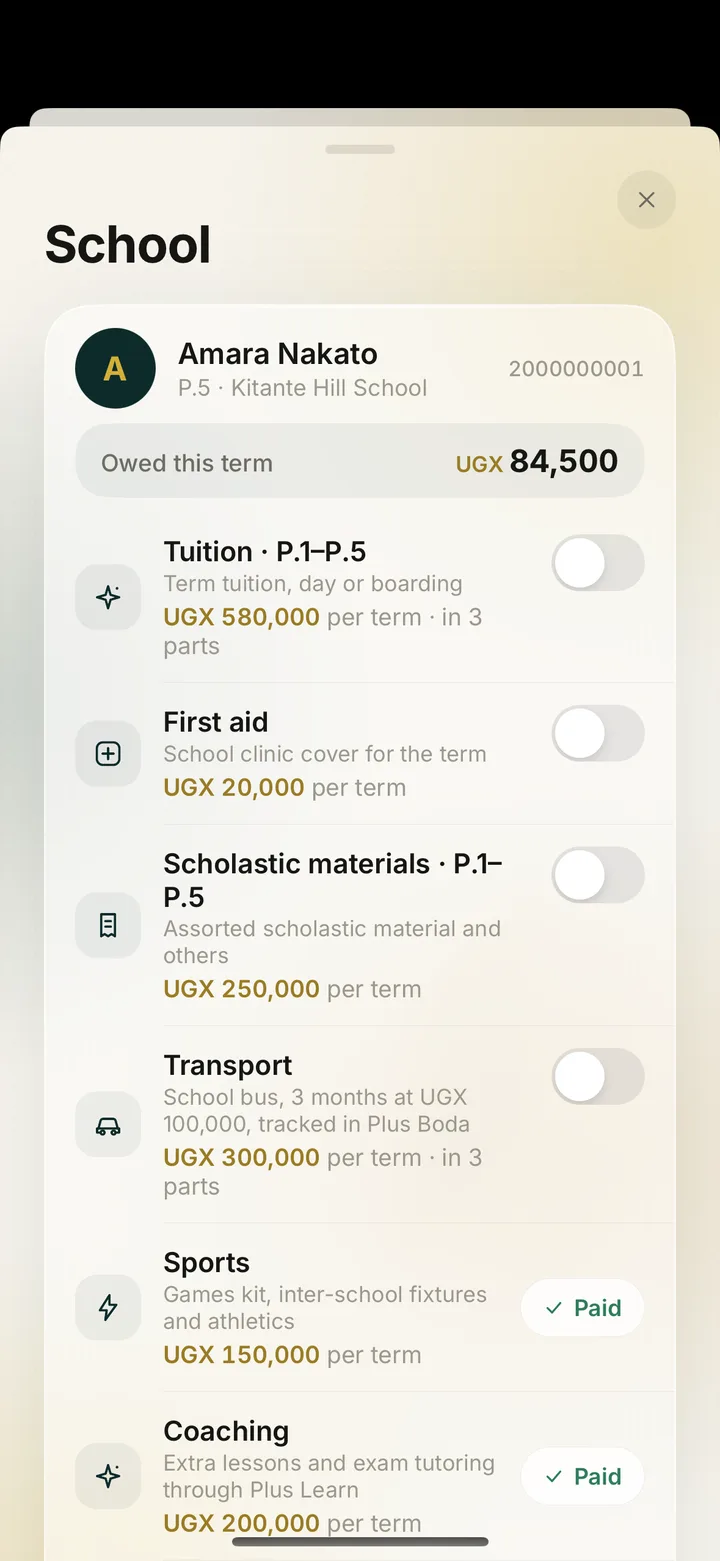
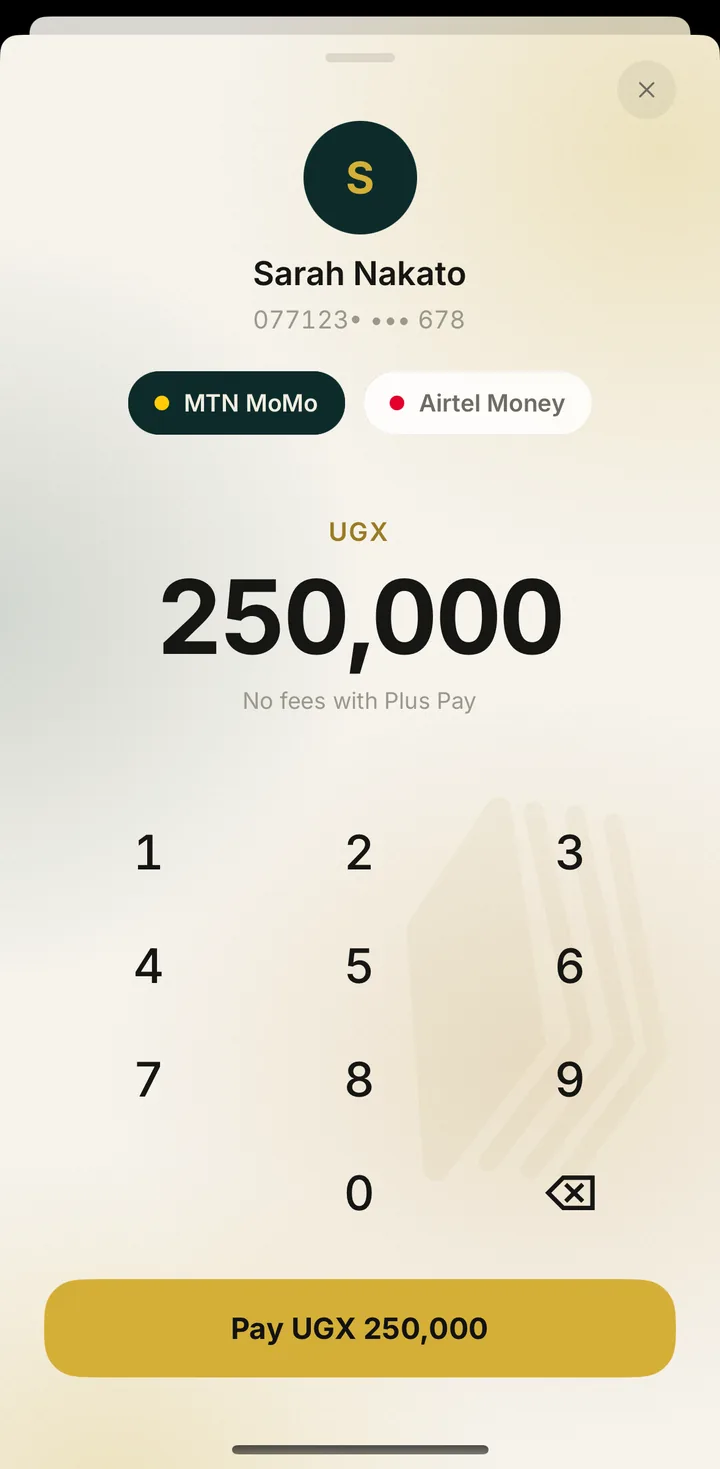
Set your fee catalogue, issue per-child bills and see every payment the moment a parent pays, against the child’s Plus ID. The school desk runs in a browser at plusboda.com/school.
Both are printed on your child’s school card. Use the mum’s or dad’s code, not the learner’s own PIN. Lost the card? The school office can reissue it.
On Pesapal’s page, by MTN MoMo, Airtel Money or card. Plus Pay never asks for your mobile money PIN and never sees your card number.
Yes, straight away. The payment is recorded against your child’s Plus ID, so you and the school look at the same record.
The receipt still arrives. The record is written by our servers when Pesapal confirms, not by your phone, so a dropped connection cannot lose a payment.
The money comes back on its own, to the same MoMo, Airtel Money or card, and the app tells you in plain words what happened. Stuck payments are checked every 30 minutes.
Where the school allows it. The app shows how many parts a fee can be split into and charges the next one each time.
When money leaves your wallet but the payment cannot finish, Plus Pay refunds it on its own and tells you so. Nothing is left hanging.
Back to your MTN MoMo number
An example, as it appears in the app.
Linking needs the parent code from the school card, and the school confirms it. Five wrong codes lock the Plus ID for 15 minutes.
Paid through Pesapal on MTN MoMo, Airtel Money or card. You and the school look at the same payment.
No mobile money PIN, no card numbers, no ads.
Free to install. Sign in with Apple or Google, then link your child with the Plus ID on their school card.